Car wrap visualizer
Explore a wrap concept across your vehicle
A wrap changes large connected surfaces while seams, recesses and trim still matter in the real installation. Choose a color and material direction to visualize the overall look, then use the comparison to discuss coverage and feasibility with an experienced installer.
Upload your photo, choose one change and compare the result right here.
Your car. Your next idea.
Upload your photo, choose one change and compare the result right here.
02 / SEE THE DIFFERENCE
Review coverage and material character
Compare the original with the concept to assess color balance, finish and interaction with glass, trim and wheels.
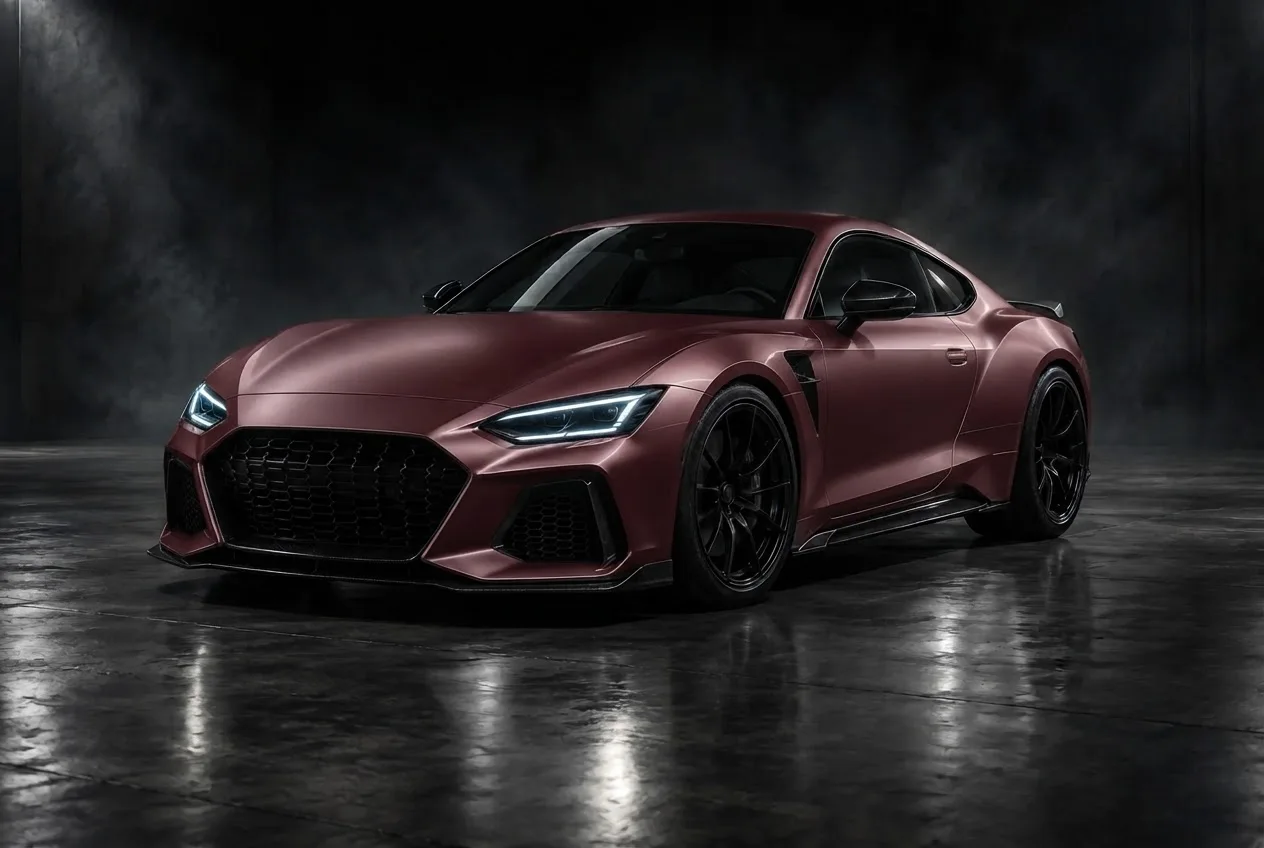
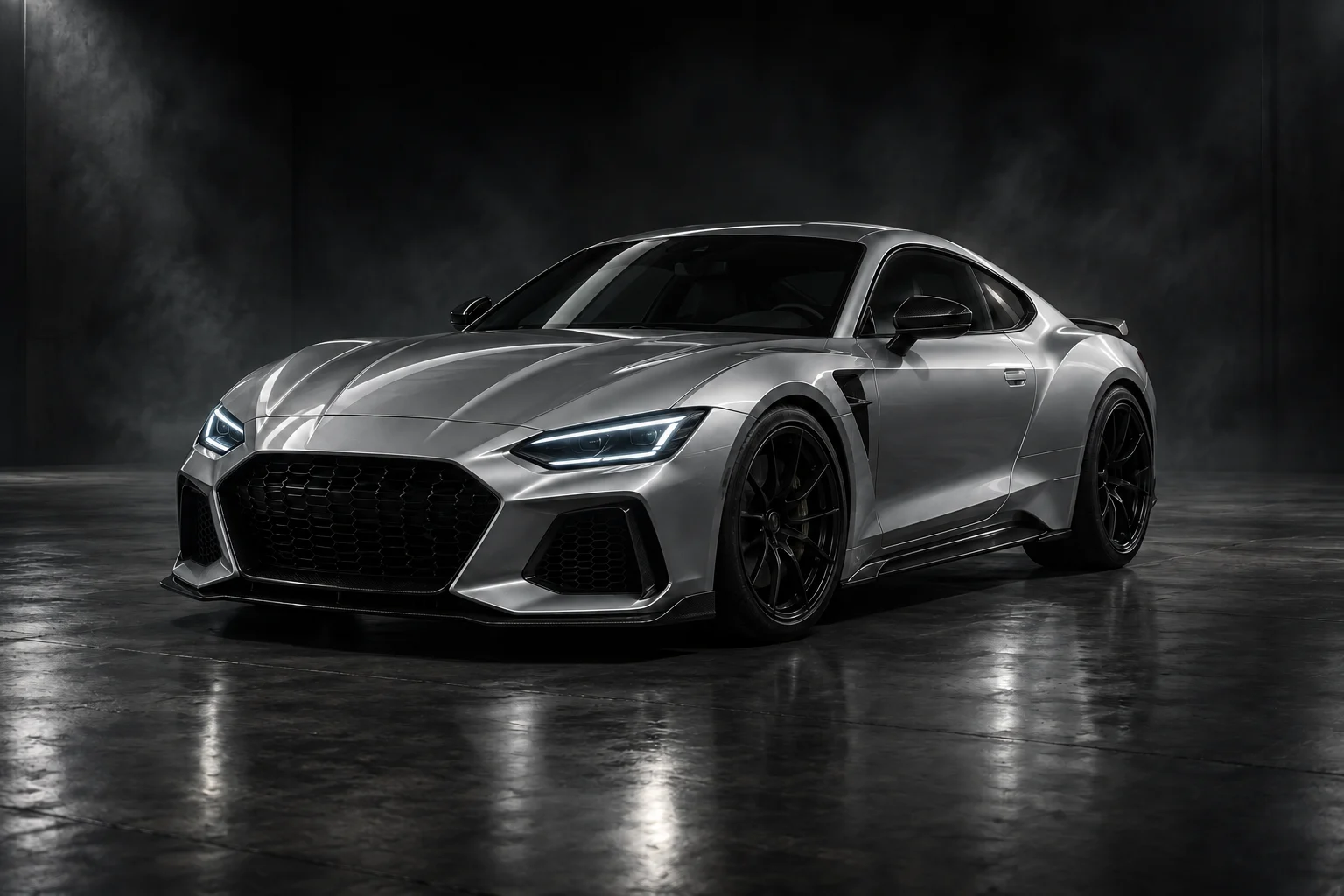 ORIGINAL · CONCEPT CARBurgundy · satin wrap
Let a physical inspection define the wrap scope
Bring the concept to the installer with your preferred film samples. Agree which trim stays exposed, how edges and joins will be treated and whether the existing paint is suitable. The image does not estimate film quantity, price, installation time or removal outcome.
AI EXAMPLE · CONCEPT CAR03 / MADE FOR YOUR NEXT DECISION
Choose the wrap direction before choosing the film
A wrap sample is small; your car has continuous doors, recesses, bumpers and a roofline. A full-body concept helps you judge whether the color and surface character work with the existing glass, lights and trim before you shortlist physical films.
Choose a color and gloss, satin, matte, metallic or carbon-fiber appearance. This tool explores body coverage and finish; it does not design printed graphics, place logos or generate a cutting pattern. The carbon-fiber option suggests a surface texture, not structural carbon components.
Choose a wrap direction
Compare bold, neutral or understated colors before ordering samples.
Evaluate finish
Explore gloss, satin, matte or effect-inspired surface character.
Brief an installer
Communicate the overall look while confirming edges, joins and difficult panels in person.
04 / FROM PHOTO TO PREVIEW
From your photo to a preview in three steps
Prepare the inputs, start the request and save the concept you want to keep.
- 01
Upload your vehicle photo
Use a photo with clean body contours; avoid open doors, covers and strong objects reflected across the panels.
- 02
Set the requested change
Choose your color and gloss, satin, matte, metallic or carbon-fiber appearance. This sets the body-surface direction, not a graphics layout.
- 03
Generate and compare
Read the image-processing notice, consent and start the preview. Compare the result against the original, then download a concept you want to keep.
05 / CHOOSE WITH INTENT
Compare wrap surface directions
Choose a visual finish here, then ask an installer for film samples that match the direction.
| Finish | Judge on the body | Confirm with the installer |
|---|---|---|
| Gloss | How strong reflections work across doors and fenders | The physical film color and surface sheen |
| Satin | A softer highlight without fully flattening the contours | A sample from the intended film range |
| Matte | Whether large panels retain enough visible shape | Appearance and care for that specific material |
| Metallic | How the concept balances bright and shaded surfaces | The actual flake effect and color variation |
| Carbon-fiber | Whether a patterned surface suits the overall vehicle | Texture scale, orientation and feasible coverage |
06 / A BETTER STARTING PHOTO
Show continuous surfaces for the wrap preview
- 01
Close doors and panels
Keep the hood, doors and trunk closed, with no covers or people blocking the body. The connected surfaces make overall coverage easier to interpret.
- 02
Show edges around trim
Use a view where glass, lights and plastic trim are distinct from painted surfaces. These are useful boundaries for the intended body edit.
- 03
Choose soft, even light
Heavy reflections can disguise recesses and curved edges. A sharp daylight photo preserves the shape that a matte or textured surface still needs to follow.
 BodyWheelsLight
What this preview cannot verify
No seam plan. The image cannot determine film width, joins or edge finishing.
Material is approximate. Real film texture, color shift and sheen vary by product and lighting.
Condition still matters. Paint condition, repairs and contamination can affect whether a vehicle can be wrapped.
07 / FAQ
Before your first preview
What to upload, what to expect and what to do with your result.
Back to the tool01Does the tool plan wrap seams?+
No. A qualified installer must inspect the vehicle and plan joins, edges and disassembly.
02Is the displayed color exact?+
No. Request physical film samples and view them on the vehicle in relevant lighting.
03Can I preview matte and satin wraps?+
Yes, as visual finish directions. The exact surface response depends on the selected film.
04Will the wrap cover trim and glass?+
The intended concept changes body surfaces. Confirm the actual coverage scope with the installer.
05Which photo formats and file sizes work?+
Use JPEG, PNG or WebP, up to 8 MB per image. Export HEIC photos to a supported format first. Keep enough detail to distinguish the edited area; a sharp, sensibly sized photo is more useful than a blurred large file.
06Do I need to sign in or pay?+
No login or payment is currently required for this preview. Availability depends on the image service being able to accept requests.
07How long does generation take?+
Timing varies with the image, processing and service demand. There is no fixed completion-time guarantee. Follow the displayed status and let an active request finish before starting it again.
08How long can I access my result?+
Results are private to this browser session, with access expiring after 7 days. Download images you want to keep before then. External AI services receive images for editing and quality checks and may retain them under their own policies. Access expiry does not guarantee deletion from those providers.
09What should I do if the request fails?+
Follow the displayed error. For an upload issue, check the format and 8 MB limit; for an unsuitable image, use a clearer photo. For a temporary service error, wait and retry. An expired result or lost browser session cannot be recovered using the old private link.
YOUR PHOTO. YOUR NEXT LOOK.
See a wrap direction on your car
Use a clear photo with continuous body panels, then choose the color and surface you want to explore.
Preview a wrap